Staff management for businesses: roles, days off, services & notifications
Give every team member a profile and their own login, set days off and the services each person performs, mark the days the business is closed — and keep everyone notified.
Free demo · 30 min of test calls · No credit card
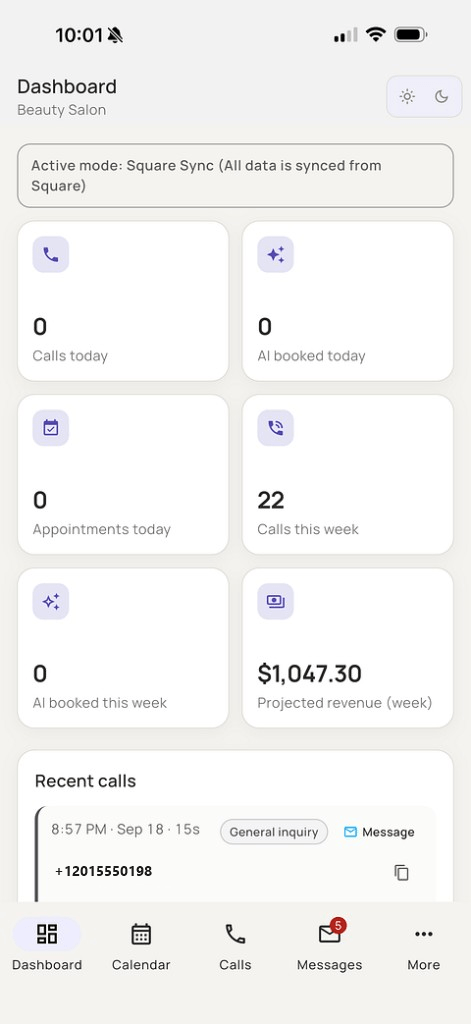
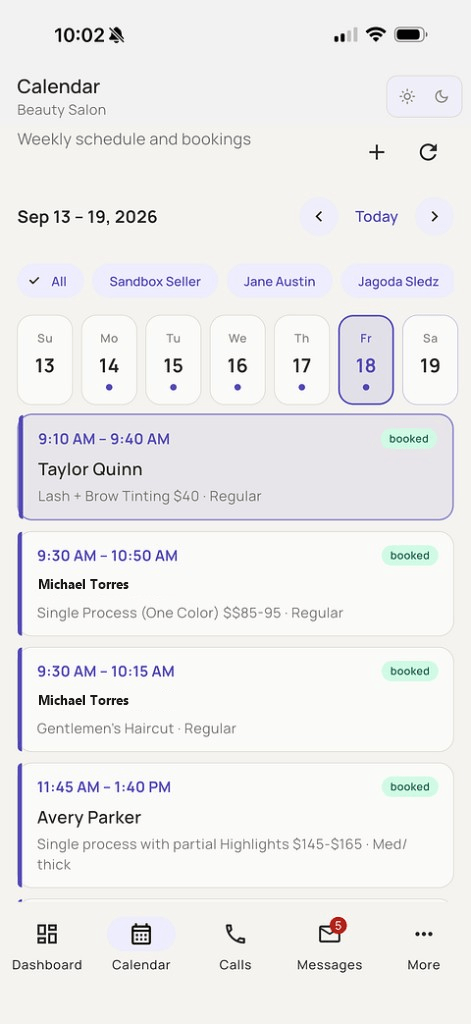
Who can do what — and who gets notified.
Roles. Each login uses one of four roles:
- Owner — full access across locations, including billing, integrations, notification settings, and call transcripts/recordings.
- Admin — manages bookings, team, services, and settings for assigned locations; can use billing; cannot manage every location or access recordings like the owner.
- Manager — day-to-day bookings, team, and services for their locations; no billing or notification settings.
- Staff — own calendar and own bookings; can view customers but not delete them; call history limited to their own work.
Notifications. Alerts for new bookings, cancellations, reschedules, customer messages, transfers, and general call summaries go out by SMS. Each person can be set to hear about all events or only their own. Staff alerts are SMS today — not email or app push.
Everything about your team, in one place.
Set it once — the voice agent, AI text booking, and the GreetaBook app all use the same calendar.
Staff profiles
A profile for every team member.
Days off
Set days off and weekly hours. The voice agent doesn’t book staff who are off.
Services per staff member
Assign the services each person performs.
Own login for everyone
Each staff member has their own login.
Role-based access
Everyone sees only what their role allows.
Business closed days & holidays
Mark holidays and the days your business is closed in your business settings.
Notifications for owner & staff
Owners and staff get notifications, so the right people stay in the loop.
On the web and on your phone
Manage the team in the browser dashboard or the GreetaVoice Business app on iOS and Android.
Staff seats by plan
Solo includes 1 staff member, Growth up to 5, and Pro up to 12. Extra staff seats are $15/month. Compare all plans →
“Any available person” — in a real test call
The caller doesn’t pick a team member; Greeta finds one with an open slot who performs the service.
Transcript
Sample call in English · a real test call · only the business name was changed to “Beauty Salon”
Hello! Welcome to Beauty Salon. My name is Daniel. I am a virtual assistant. How can I help you?
Hello, I would like to schedule appointment for women's haircut.
I have a few haircut options for women. Would you like Sandy, or any available stylist?
Any available stylist, eh, on this coming Monday.
I have an appointment for a women's haircut with Asia on Monday at nine in the morning. Does that work for you?
Yes, that works.
Frequently asked questions
Can each staff member have their own login?
Yes. Every staff member gets their own login and sees only what their role allows.
Can I set holidays and days when the business is closed?
Yes. Business closed days and holidays are part of your business settings.
Does Greeta book staff on their days off?
No. If someone is on a day off (or a weekly off day), Greeta skips them when offering times — for voice and for AI text booking.
How many staff can I add?
Solo includes 1 staff member, Growth up to 5, and Pro up to 12. Extra staff seats are $15/month.
Try Greeta on a sample business — free.
The demo comes with a sample business, services, and team, plus 30 minutes of test calls. Guided setup is free for a limited time at your first checkout.